 |
Wizard 4000® Online Trouble-Shooting Guide
 |
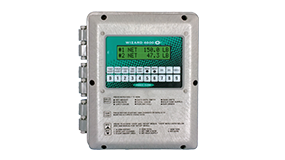
WIZARD
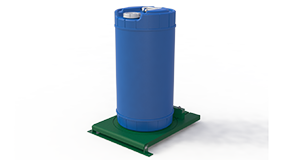
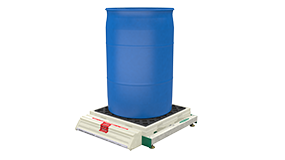
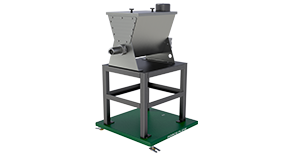
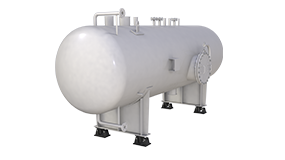
ELECTRONIC SCALES: Our electronic scales sense weight through
a shear beam strain gauge load cell mounted in a hardware assembly
beneath the platform. The shear beam load cell accepts load at one
end of the beam and thus deflects (or strains) a Wheatstone bridge
within the load cell. This deflection causes a change in microvoltage
(millivolt / volt signal) proportional to the applied load, which
is displayed as a weight or volume on our multi-channel digital weight
indicator. |
Symptom:
WIZARD DISPLAY WILL NOT CHANGE
Possible Cause: POWER SURGE or IMPROPER FIELD CALIBRATION
This is usually due to either A) an improper field calibration (setting
zero and span at the same signal value) or B) a stray voltage or power
surge. To "unlock" the Wizard, you first must reset the Wizard:
- Push and hold the "Delete" button
- While holding the "Delete" button, push the "Reset"
button for 2 seconds. Note: The reset button is not marked, but
it is to the left of the LCD display and is raised just like the other
buttons
- After 2 seconds release the "Reset" button but continue
to hold down the "Delete" button until the display reads "NET
WEIGHT" or
- If display reads "YES *NO", choose "NO". If it
reads "ENTER SCALE #", choose a different scale number than
you did before.
- Using code set up 9081, perform a field
calibration (Link to drawing b19.pdf) per the Operation Manual.
Symptom:
NEGATIVE WEIGHT READINGS
Possible Cause: INCORRECT ZERO OR TARE WEIGHT
This is usually caused by operator error and is due to either A) Zeroing
the scale with a full tank on the scale, or B) An improper tare weight
being entered.
To correct
the problem:
- Push the DISPLAY SELECT button until TARE WEIGHT is displayed. Check
to make sure that this tare weight matches the tare weight of your chemical
vessel. If it is not correct, push the TANK
LOAD button, choose MANUAL mode then follow the screen prompts until
the Wizard asks for TANK TARE WEIGHT. Input your correct tare weight
and press ENTER.
- If above does not solve your problem, remove your portable chemical
tank or empty your stationary tank and use the SET
SCALE ZERO function in the MENU.
Symptom:
CALIBRATION OR ZERO DOES NOT SEEM CORRECT
Possible Cause: INCORRECT FIELD CALIBRATION or POWER SURGE
This is usually caused by operator error, but can also be due to a voltage
surge, scale relocation or equipment changes.
- Enter "9088" code set-up to get into the Calibration
Factor. The first number displayed should correspond to the calibration
factor that was recorded by the factory technician on the inside front
cover (enclosure door) of the Wizard. If the numbers do not match, use
the keypad to restore the factory calibration.
- Push ENTER. The next number should be the ZERO NUMBER. This is the
Zero setting that should have been recorded by the customer on the inside
of the front cover of the Wizard when the scale was originally installed.
If the number is not correct, use the keypad to restore the original
Zero. If no ZERO factor was ever recorded on the inside of the enclosure
door, the only way to correct an inaccurate zero is to remove all weight
from the scale and then follow the SET SCALE
ZERO (Link to drawing b09.pdf) procedure.
- Press
ENTER twice. The MOT CTS and FILTER are factory set and should not be
altered.
Symptom:
"AMOUNT USED" AND "FEED RATE" FUNCTIONS DO NOT WORK
Possible Cause: VOLTAGE SURGE or INDICATOR POWERED-UP < 24 HRS
Incorrect readings may be present until up to 24 hours after scale is
powered up as memory registers fill. If caused by a voltage surge or stray
voltage, it usually can be corrected by simply resetting the RAM:
- Enter
"6969" and then push enter. This will restart the internal
clock.
- After
resetting the RAM, it is necessary to reset the internal clock. To do
so, enter "9087" and re enter the correct time and date.
Symptom:
TOP LINE OF DISPLAY IS SOLID BLACK
Possible Cause: VOLTAGE SPIKE
Caused by a voltage surge or stray voltage and indicates damage to the
instrument. Must be returned to the factory. All repairs are done in 48
hours! Contact us.
Symptom:
ERRATIC READINGS
Possible Cause: FRICTION OR BINDING
For any scale to operate properly, plumbing or other devices must not
restrain the tank or platform. In order to eliminate any friction or binding
in the system, all tank supply or feed connections
must be flexible. If there is any friction or binding in the tank
connections, fluctuations in readings may happen due to the load cell
being restrained from moving up and down freely as temperature and weight
changes.
|